
How to Use Footnotes with SmartCite
< 1 min read
When working with a citation style that uses footnotes for in-text citations — such as Oxford, Chicago, or Turabian (among others) — citing with SmartCite requires one extra step to make sure your citation is added correctly.
Before you begin, open SmartCite and select the citation style you want to use.
To cite, first create a footnote by navigating to the “References” tab in Word and clicking “Insert Footnote”:
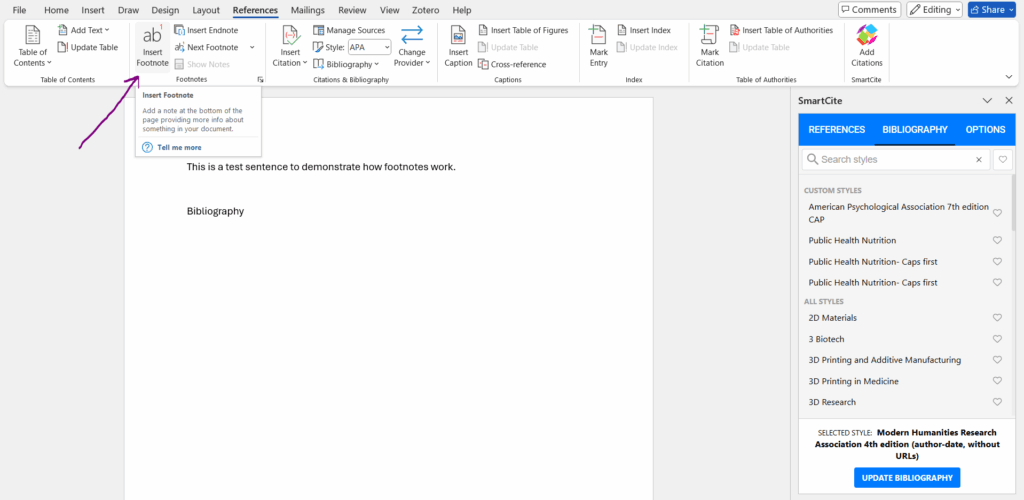
Once the footnote is inserted in-text, navigate to the bottom of the page where the citation will appear. Then, go to the References tab in SmartCite and select the citation from your library. When you select it, the citation will be added to the footnote, and an entry will be generated in the bibliography.


Repeat this process for each additional citation you want to add.


